How to Change Your Enterprise Messaging Password
This document provides a step-by-step set of instructions on how to change your Enterprise Messaging (EM) password.
- Open the web browser of your choice and navigate to https://sharepoint.em.ucla.edu.
- Click the Change Password link.

- Enter your username, which will be in the format username@ad.ucla.edu. For example, joebruin@ad.ucla.edu.
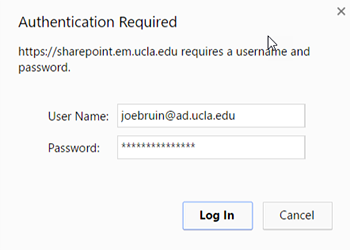
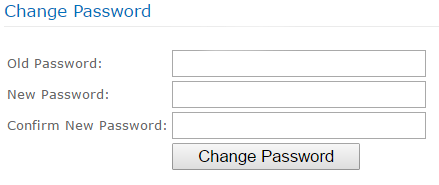
- Enter your old password, enter a new password in the new and confirm fields, then click the Change Password button. Your new password must meet the following criteria:
- Contain six characters or more.
- Contain characters from at least two of the following three character classes: Alphabetic (e.g.: a-z, A-Z); Numeric (i.e. 0-9); Punctuation and other characters
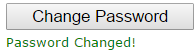
- If your password change is successful, you will see “Password Changed” appear under the button.
NOTE: If you need assistance changing your Enterprise Message password, please contact your local IT support group.