Change Calendar Permissions in Outlook 2011
This document provides a step-by-step set of instructions on how to add change calendar permissions in Outlook 2011 for Mac.
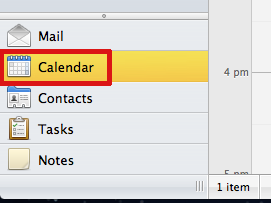
- Open Outlook and click Calendar in the navigation pane on the left side of the window.
- On the Home tab of the Ribbon, click Permissions.

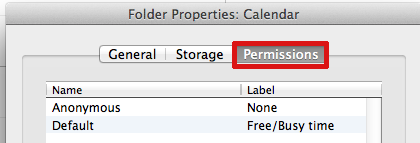
- In the Calendar Properties window, click the Permissions tab.